


-
Online shopping sites manage millions of orders
-
Banks process endless financial transactions
- Cloud storage stores billions of files
- Social media apps upload pictures and messages nonstop
-
Slow down
-
Leak or corrupt user data
- Crash suddenly
- Increase user complaints
-
Fast
-
Stable
- Accurate
- Safe
What is Volume Testing?
-
Millions of shopping orders are stored in a database
-
Thousands of medical images are uploaded per second
- Banking systems store years of transaction history
-
Store data correctly
-
Retrieve data quickly
- Run functions without slowing down
- Avoid memory overload
-
Protect data from corruption
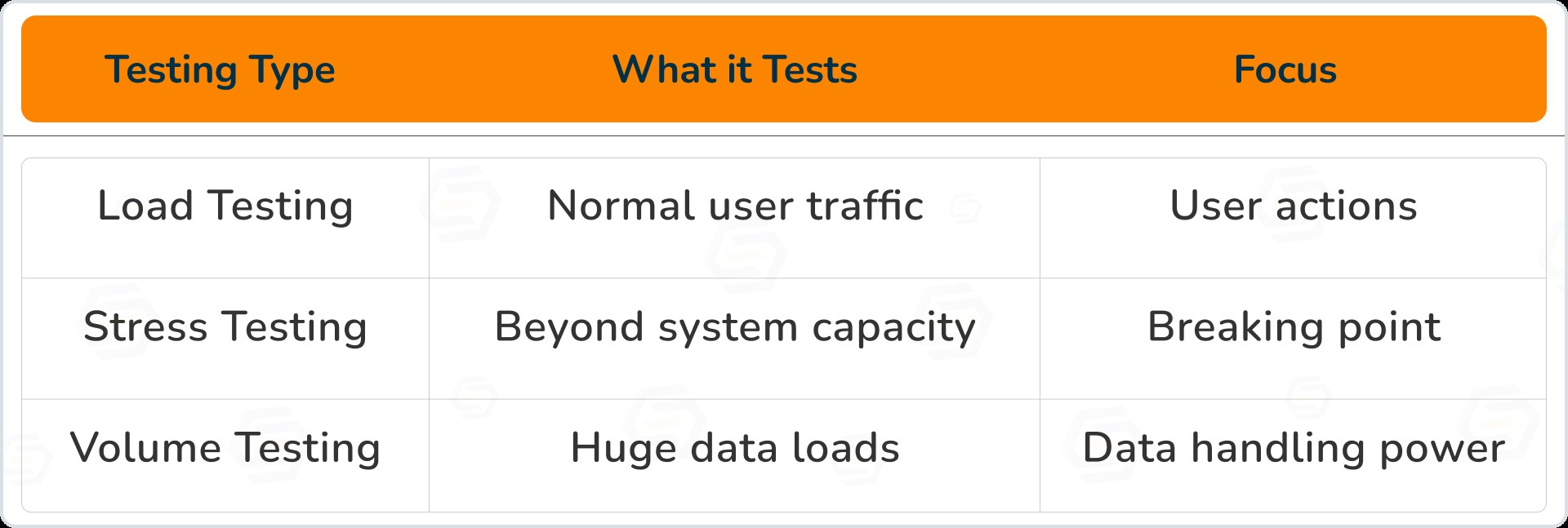
Example to Understand Volume Testing
-
Millions of orders come in
-
Product inventory keeps updating
- Customer records grow extremely fast
-
Show wrong order details
-
Delay checkouts
- Crash during payments
Why Volume Testing Matters
-
Slow response time
-
System freeze or restart
- Out-of-memory errors
- Wrong data saved or lost
-
Angry users leaving your app
-
Identifies hidden performance problems
-
Finds how much data the system can handle
- Improves database performance
- Helps companies scale smoothly
-
Keeps customer trust high
How Volume Testing Works
Step 1: Load a large amount of test data
-
Customer details
-
Product lists
- Messages or files
- Logs and history data
Step 2: Run key features of the system
-
Searching for a product
-
Paying for an item
- Uploading a video
Step 3: Monitor performance
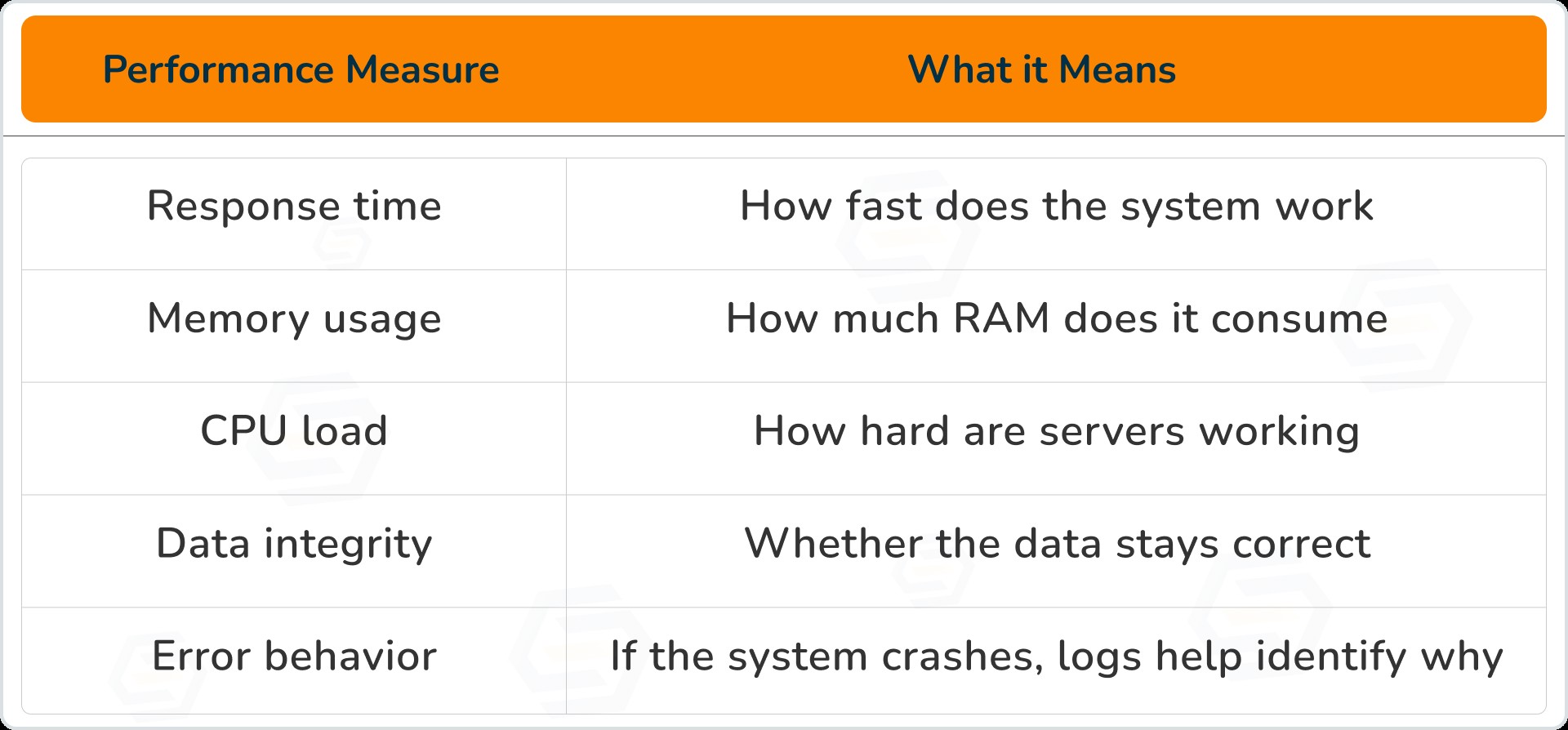
Step 4: Fix issues
Key Aspects of Successful Volume Testing
1. Test Environment Setup
-
Server configuration should match real production
-
Tools for monitoring CPU, RAM, Disk, and Network are required
- Testing hardware must be powerful enough
2. Preparing the Data
-
Apache JMeter
-
LoadRunner
- Mockaroo
- DBMonster
3. Execution & Monitoring
-
Test slowly from low data → very high data
-
Watch graphs & system behavior
- Find weak areas before users face them
-
Logs for failures
-
Memory leaks
- Slow queries
- API timeouts
Volume Testing vs. Load & Stress Testing
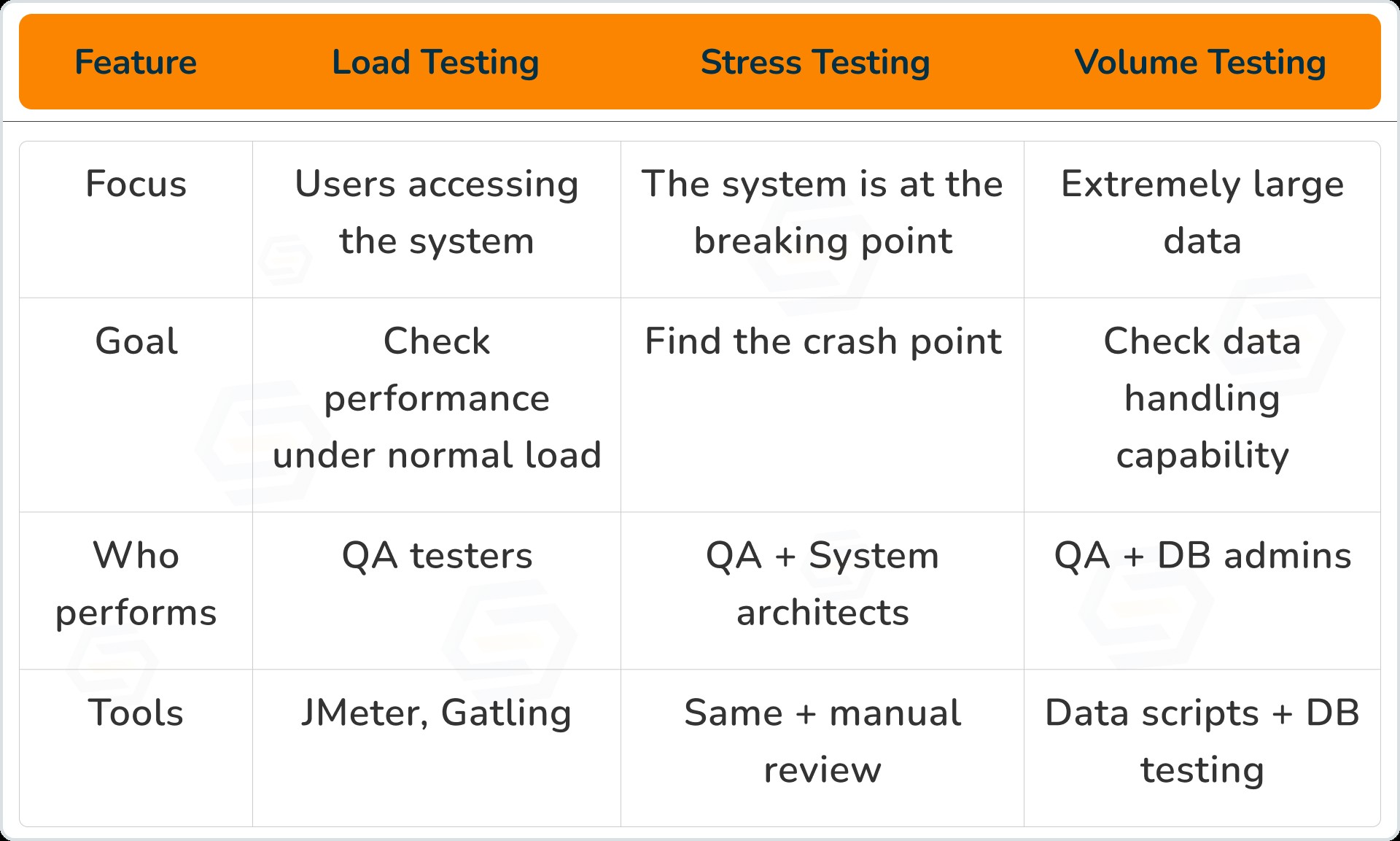
Challenges in Volume Testing
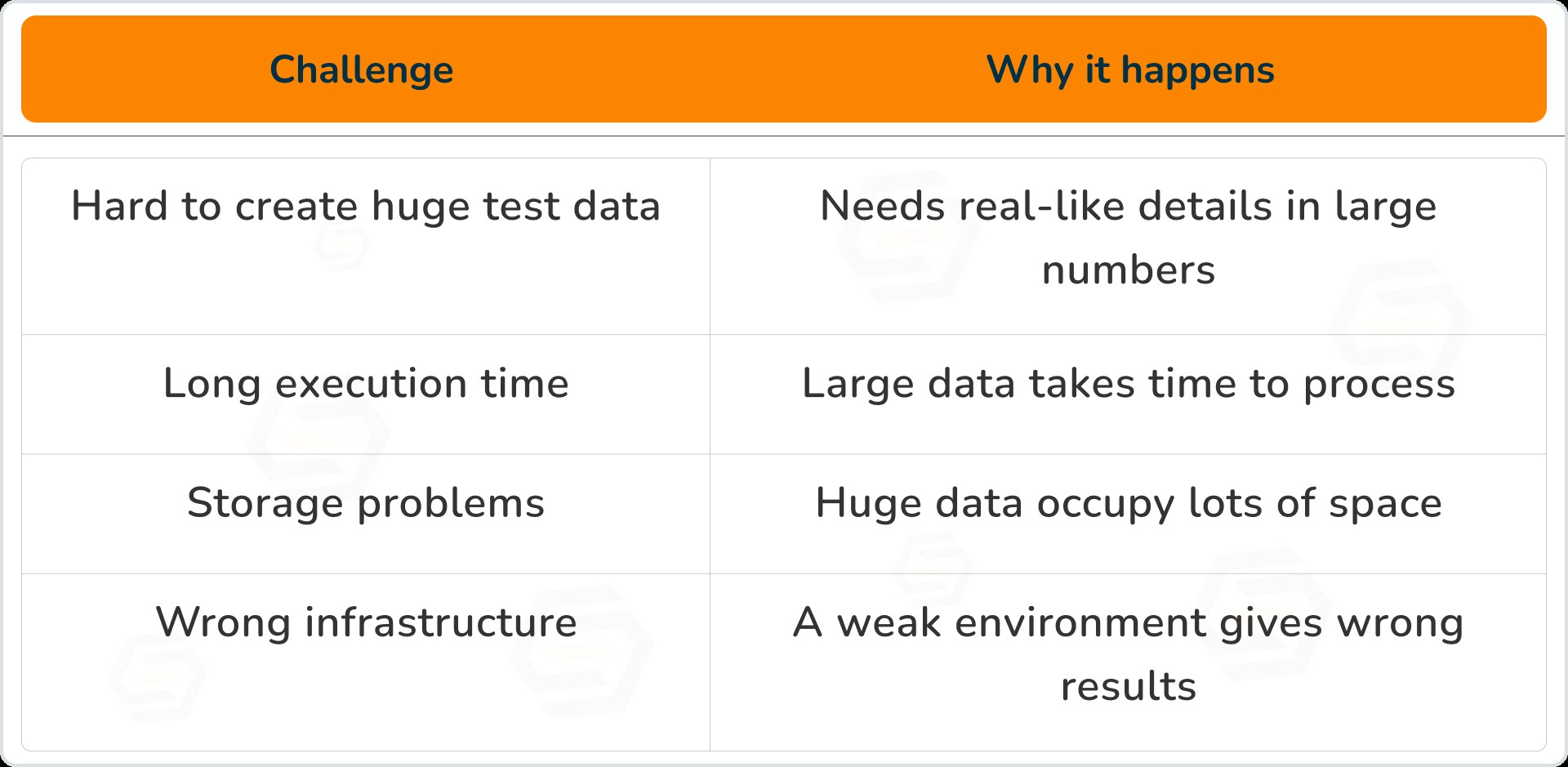
Best Practices for Volume Testing
-
Plan for scalability
-
Use automation tools
- Monitor continuously
- Test different data growth conditions
-
Keep test data clean after tests
-
Simulate real business situations
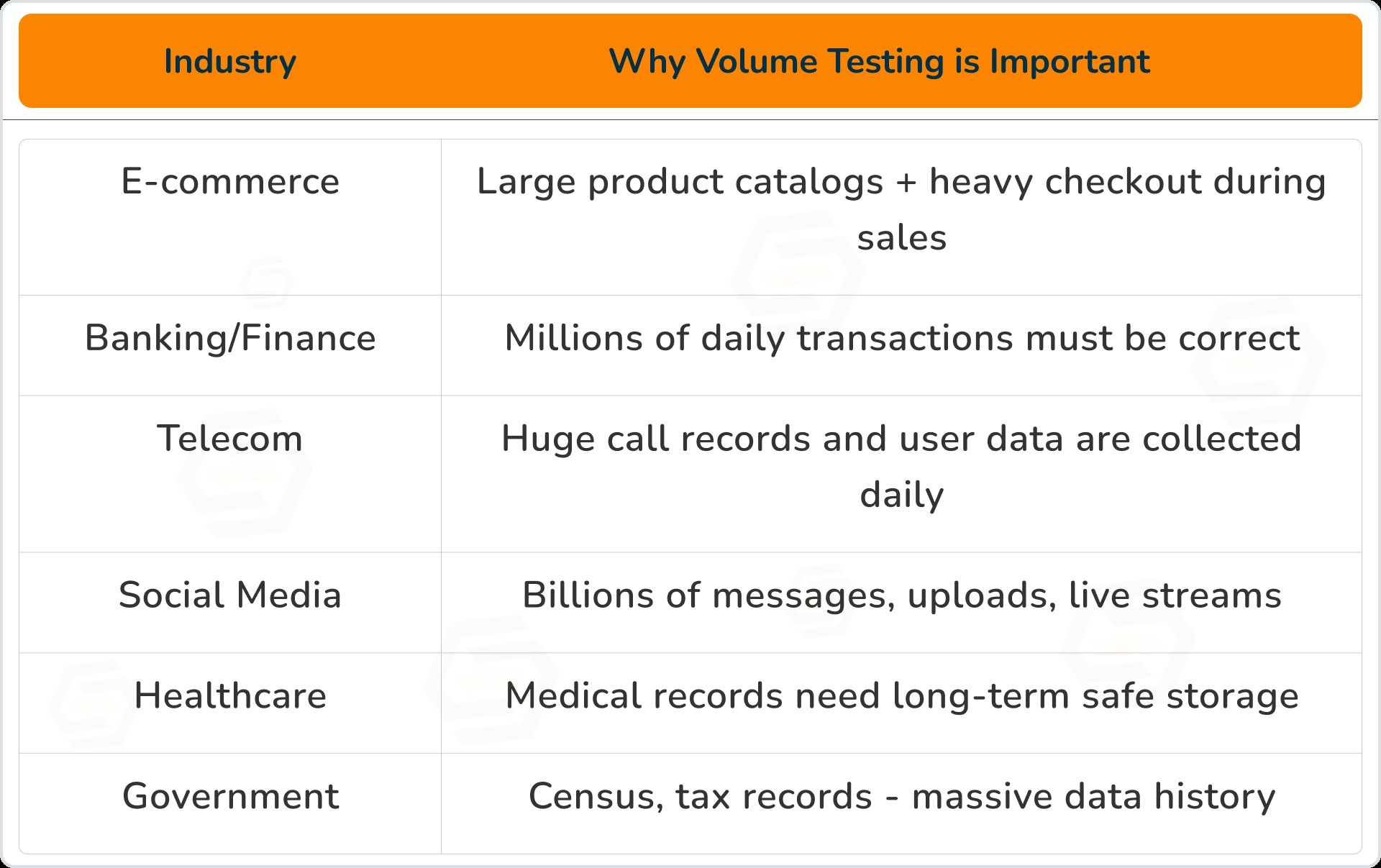
Real Industry Examples (Where Volume Testing is a Must)
-
1-second delay in online shopping = 7% revenue drop
-
Users uninstall slow apps instantly
- Companies lose billions due to poor performance
Conclusion: Why Volume Testing Should Never Be Ignored
-
Data is increasing faster than ever
-
Software must grow with data demand
- Performance failures cost billions
-
High stability
-
Good scalability
- Smooth user experience
- No data loss
-
Happy customers and more business
-
40–60% fewer crashes
-
50% better scalability
- 30% faster processing
Sumit Patil
A highly skilled Quality Analyst Developer. Committed to delivering efficient, high-quality solutions by simplifying complex projects with technical expertise and innovative thinking.
Reply