

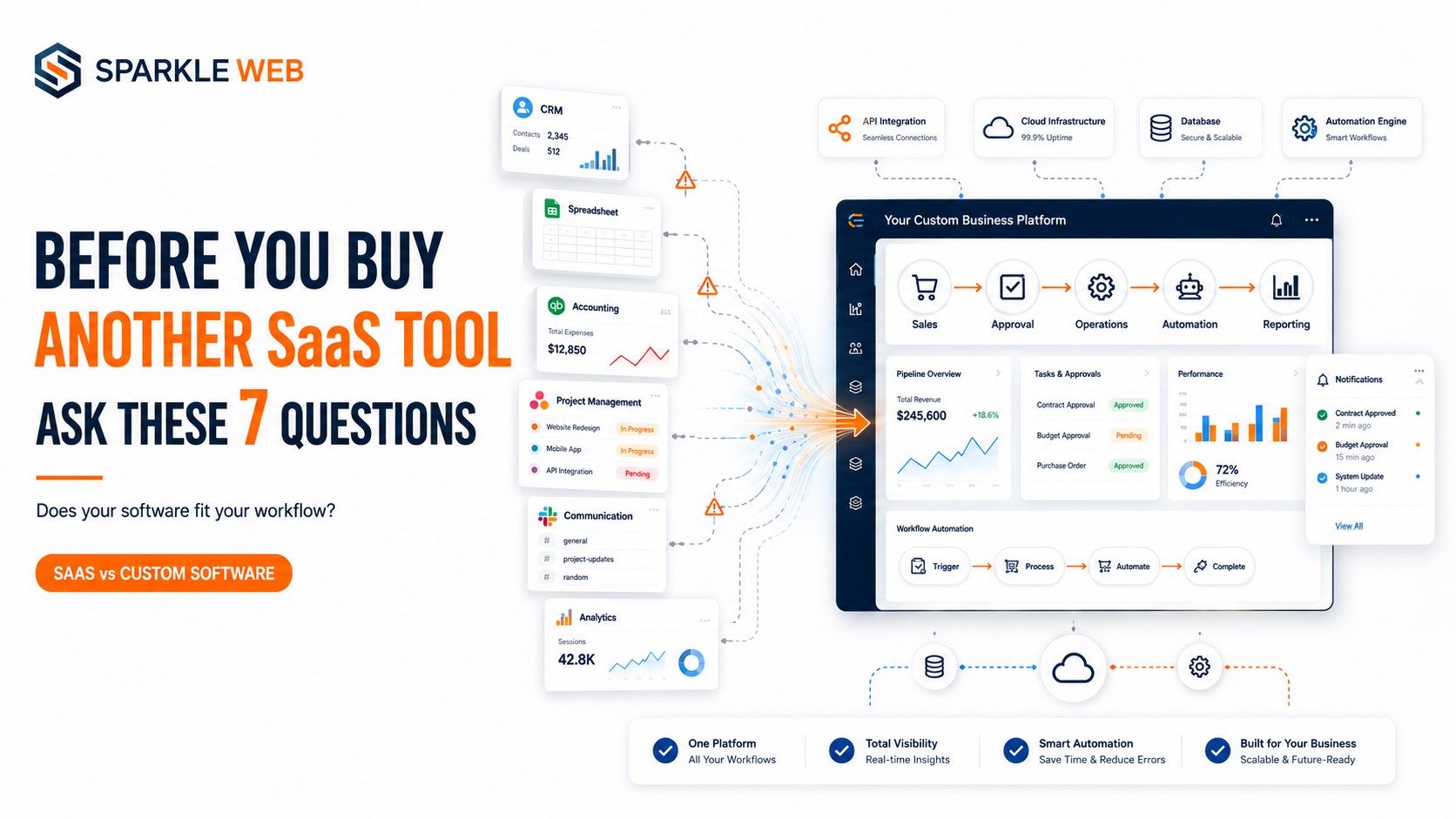
Your team just asked for another software tool.
Sounds simple.
You find a SaaS product.
You subscribe.
You add your employees.
You start using it.
But six months later, you have one more subscription, one more dashboard, one more login and somehow, the same workflow is still running through Excel, emails and WhatsApp.
That's when you should stop asking:
“Which SaaS tool should we buy?”
And start asking:
“Why doesn't our software work the way our business works?”
Before buying another SaaS tool, ask these 7 questions.
1. Does This Tool Actually Fit Our Workflow?
Most SaaS products are designed to solve common business problems for a large number of companies.
That's their strength but it can also become their limitation.
Your business may have its own:
- Approval processes
- Business rules
- User roles
- Calculations
- Forms
- Reports
- Industry-specific requirements
If employees constantly need workarounds to use the software, that's a warning sign.
Your workflow shouldn't have to bend around your software.
Your software should support your workflow.
2. How Many Tools Does One Process Require?
Take one important business process and follow it from beginning to end.
For example:
Lead → Quotation → Approval → Operations → Billing → Reporting
Now count how many applications your team uses.
One?
Two?
Five?
More?
If employees constantly jump between CRM, spreadsheets, email, project management tools and accounting software, adding another application may increase the problem rather than solve it.
Sometimes the real need isn't another SaaS product.
It's better integration or a connected custom workflow.
3. Will Your Team Still Need Spreadsheets?
Here's a simple test:
If your new SaaS tool is supposed to automate the process, why is your team still maintaining Excel sheets?
Spreadsheets often become the unofficial system behind official software.
Teams use them to:
- Track approvals
- Combine data
- Calculate information
- Prepare reports
- Monitor exceptions
- Fill gaps in existing software
If this keeps happening, your business may have a workflow problem not a software shortage.
4. Can It Connect With Your Existing Systems?
A new tool doesn't exist in isolation.
It needs to work with the systems you already use.
Before buying, check:
- Does it provide APIs?
- Can it exchange data with your existing systems?
- Can users access it with your current authentication?
- Can information move automatically?
- Can it support your future integrations?
Poor integration creates duplicate data and manual work.
A custom application can sometimes act as the connection layer between your existing systems.
5. Are You Paying for Features You Don't Need?
SaaS pricing usually comes in packages.
You may get 50 features when your business needs 10.
And sometimes the one feature you really need isn't available.
That's the trade-off with generic software.
Custom software takes another approach:
Build what matters.
You can prioritize the workflows, permissions, automation, reports, and integrations that are important to your business.
That doesn't automatically make custom software cheaper.
It means the investment can be designed around your actual requirements.
6. Will This Tool Still Work When Your Business Grows?
Don't evaluate software only for today's requirements.
Ask what happens when you have:
- More employees
- More departments
- More locations
- More customers
- More approval levels
- More integrations
- More complex reporting
A tool that works perfectly today may become restrictive tomorrow.
Your technology should support growth—not become another obstacle to it.
7. Are You Solving a Software Problem or a Workflow Problem?
This is the question that matters most.
Maybe you don't need another CRM.
Maybe the real problem is that your sales, approval and operations processes are disconnected.
Maybe you don't need another reporting tool.
Maybe your existing systems aren't sharing data properly.
Maybe you don't need another automation SaaS.
Maybe your workflow itself needs to be redesigned.
Sometimes the biggest software problem isn't missing functionality. It's having too many disconnected systems.
When Custom Software Starts Making Sense
Custom software isn't automatically better than SaaS.
SaaS is excellent when your requirements are standard and the product fits your workflow.
But custom development becomes worth considering when:
- Your workflow is highly specific
- Your teams use multiple disconnected systems
- Manual work is increasing
- Existing software requires workarounds
- You need custom approval processes
- You require industry-specific functionality
- Your business needs deeper integrations
- Your software needs to evolve with your processes
And you don't necessarily have to replace every SaaS product.
A hybrid approach can work well:
Existing SaaS + Custom Software + Integrations + Automation
The goal isn't to build everything.
The goal is to build what your business actually needs.
Real Examples From Sparkle Web
This approach is reflected in Sparkle Web's documented projects.
For Procurement Workflow project, the platform included procurement workflows covering purchase requisitions, quotations, technical evaluation, negotiation, approvals, supplier and contract portals, job completion, and reporting.
For online Accounting project, Sparkle Web developed an online accounting system covering accounting masters, transactions, reports, permissions, data import, and multi-company database management.
For GuestWindow, the platform combined hotel management and guest communication capabilities with technologies including .NET Core, Angular, SignalR, Twilio, and Azure.
These examples show why custom development can be valuable when the workflow itself is an important part of the business.
Final Thought
Before you buy another SaaS tool, don't ask:
“What software can we buy?”
Ask:
“What is slowing our business down?”
Then look at the complete workflow.
If SaaS solves the problem cleanly, use it.
If your team is constantly working around software, moving data between systems, maintaining spreadsheets, and adapting processes to fit applications, it may be time for a different approach.
Don't build your business around your software. Build software around your business.
🚀 Need Software Built Around Your Workflow?
Sparkle Web develops custom business software, enterprise applications, workflow automation platforms, CRM, ERP, healthcare, hospitality, procurement, and SaaS solutions.
Have a workflow that existing software cannot handle? Talk to Sparkle Web and let's build a solution around the way your business actually works.
Dipak Pakhale
A skilled .Net Full Stack Developer with 8+ years of experience. Proficient in Asp.Net, MVC, .Net Core, Blazor, C#, SQL, Angular, Reactjs, and NodeJs. Dedicated to simplifying complex projects with expertise and innovation.
Reply