


Why Microservices with Node.js and Docker?
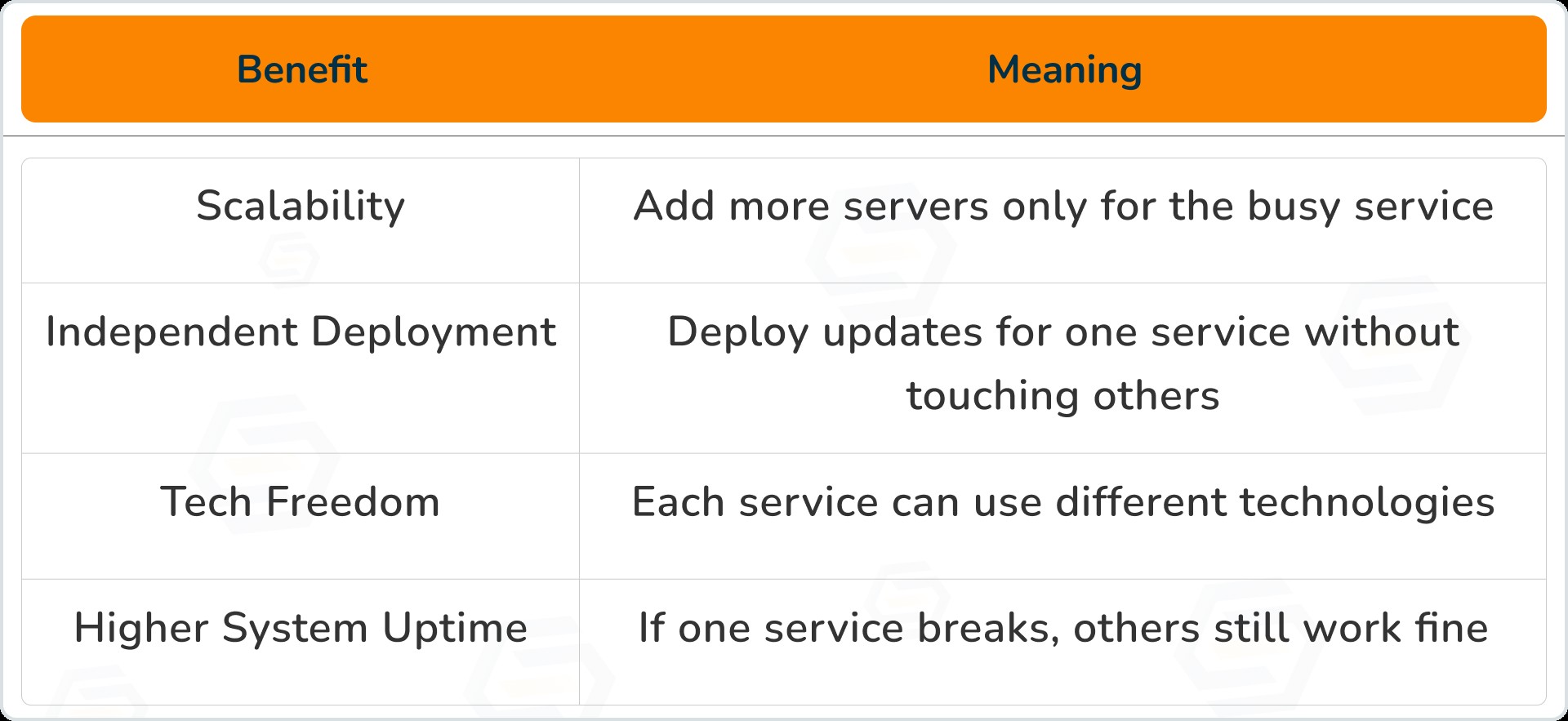
Benefits of Microservices
Why Node.js?
-
Handles many requests at the same time
-
Uses less memory and works very fast
- Uses JavaScript (easy language, full-stack)
- Works great for APIs (REST, GraphQL)
-
Has thousands of ready-made packages (NPM)
Why Docker?
-
Same environment in development, testing, and production
-
Every microservice runs separately
- Perfect fit for scaling up or scaling down services
- Deploy anywhere - Cloud, On-premise, VMs
How Microservices Architecture Looks
Client Apps (Web / Mobile)
            ↓
      API Gateway
            ↓
 ┌─────────┬──────────┬─────────┐
 | AuthSvc | UserSvc  | OrderSvc |
 └─────────┴──────────┴─────────┘
        ↓        ↓        ↓
     Databases for Each Service
            ↓
   Message Broker (Async Events)
            ↓
Monitoring + Logging + Alerts
Each microservice:
-
Has its own database
-
Can restart independently
- Can live on different servers
Step 1: Create a Node.js Microservice
// user-service/index.js
import express from "express";

const app = express();
app.use(express.json());

app.get("/users", (req, res) => {
  res.json([{ id: 1, name: "Ana" }, { id: 2, name: "John" }]);
});

app.post("/users", (req, res) => {
  const { name } = req.body;
  res.json({ id: Date.now(), name });
});

app.listen(4000, () => {
  console.log("User service running on port 4000");
});
Run normally:
node index.js
Step 2: Dockerize the Service
Create a Dockerfile:
FROM node:18-alpine

WORKDIR /app

COPY package*.json ./
RUN npm install

COPY . .

EXPOSE 4000

CMD ["node", "index.js"]
Build & Start:
docker build -t user-service .
docker run -p 4000:4000 user-service
Your service is now running inside Docker!
Step 3: Run Multiple Services with Docker Compose
docker-compose.yml
version: "3.8"
services:
  user-service:
    build: ./user-service
    ports:
      - "4000:4000"
    depends_on:
      - mongo

  product-service:
    build: ./product-service
    ports:
      - "5000:5000"
    depends_on:
      - mongo

  mongo:
    image: mongo:6
    container_name: mongo-db
    ports:
      - "27017:27017"
Start all together:
docker-compose up --build
Step 4: Service Communication
Two ways:
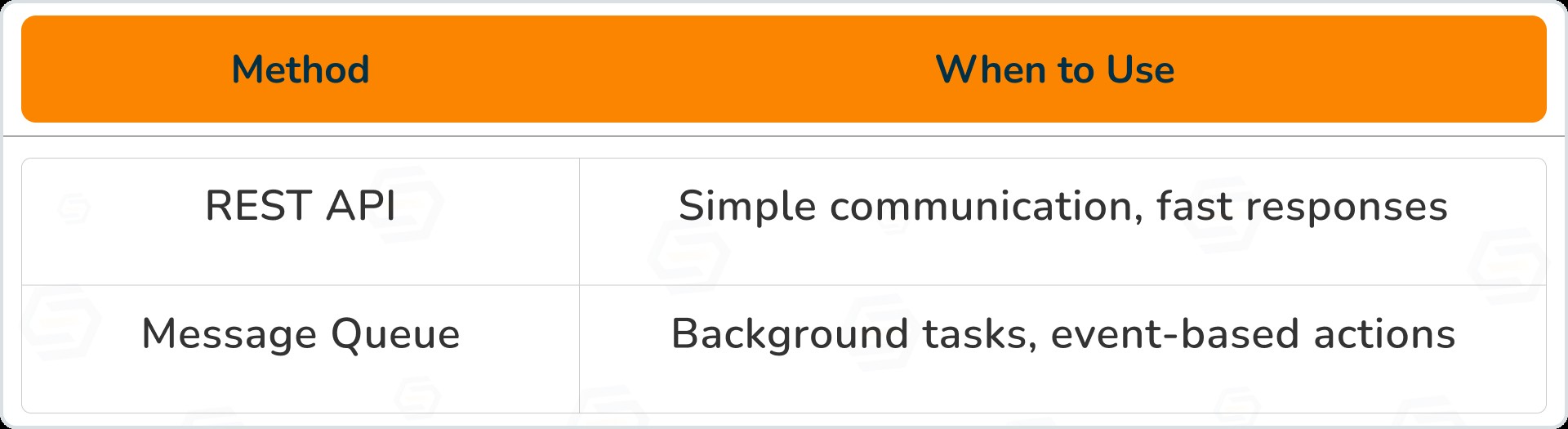
Example: publish an event after a new user sign-up
import amqp from "amqplib";

async function publishUserEvent(user) {
  const conn = await amqp.connect("amqp://rabbitmq");
  const channel = await conn.createChannel();
  await channel.assertQueue("user_events");
  channel.sendToQueue("user_events", Buffer.from(JSON.stringify(user)));
}
Step 5: Scaling Microservices
Horizontal scaling
docker-compose up --scale user-service=4Now, 4 containers of the same service handle requests
-
Auto-heals services
-
Auto-scales apps
- Load balances traffic
- Handles updates safely (rolling deploy)
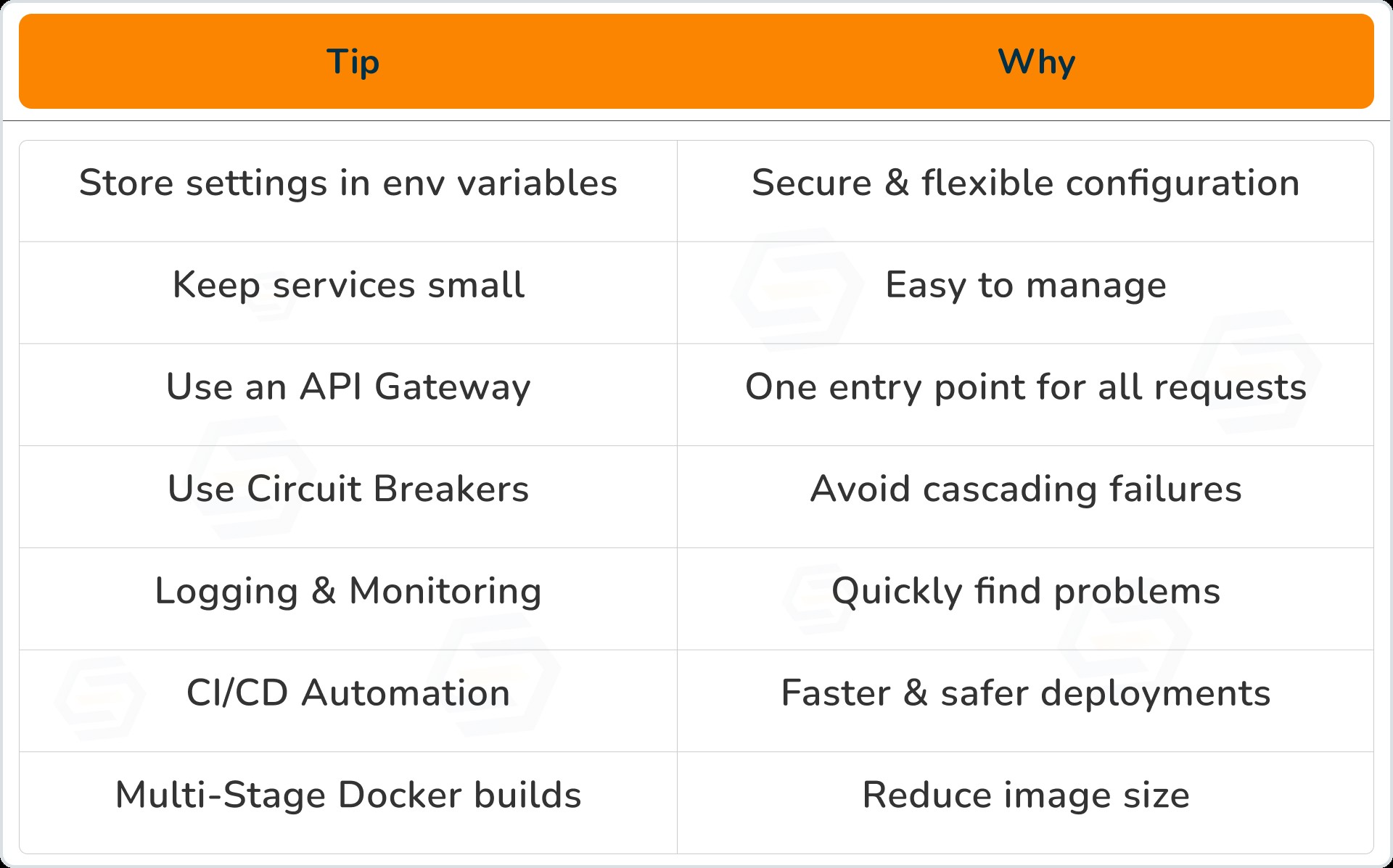
Best Practices
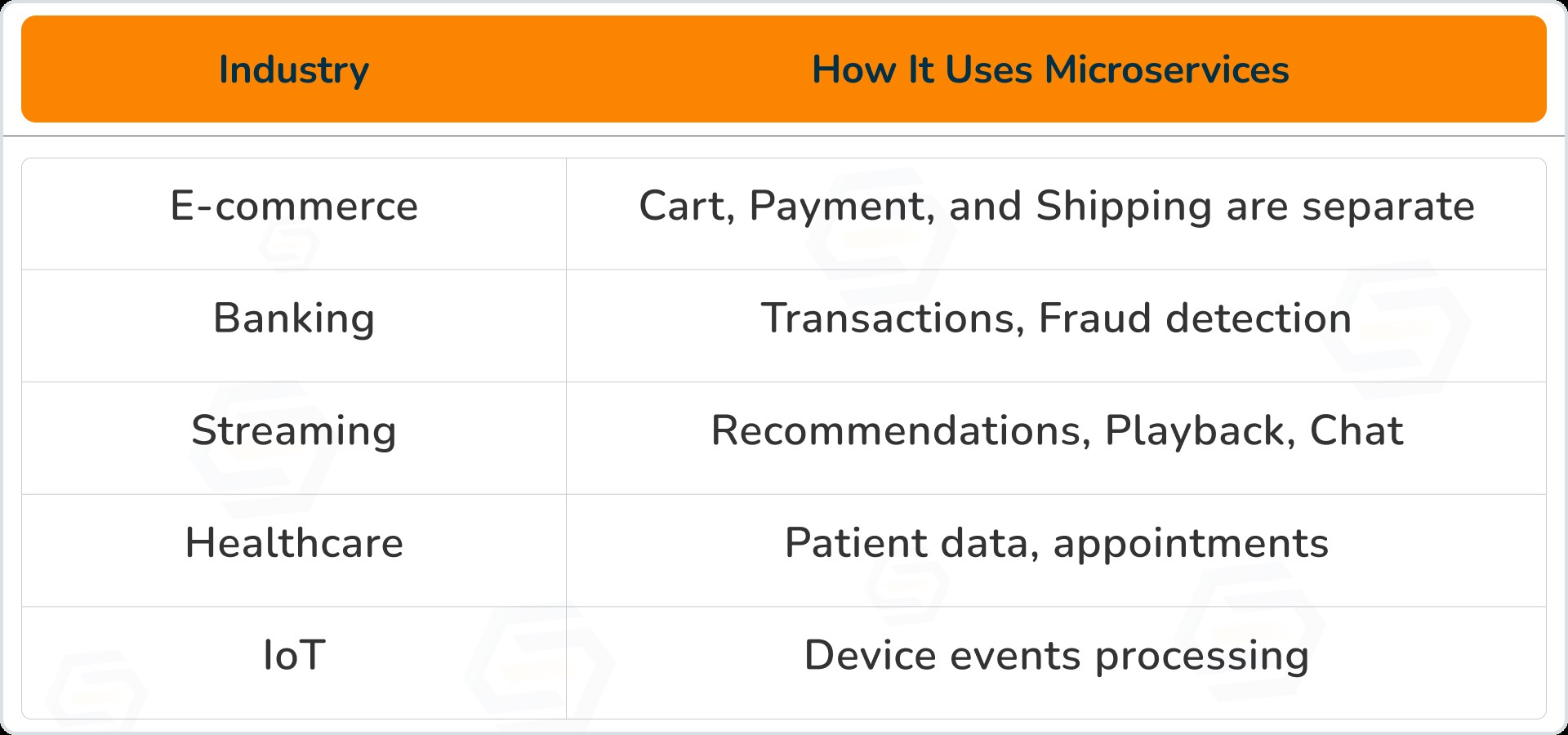
Real Business Examples
Strong Proof & Statistics
-
82% enterprises use microservices for faster delivery
-
40% reduction in downtime after switching
- 3× faster updates and new features
- Docker reduces configuration issues by 95%
Final Conclusion
-
Node.js: Fast, lightweight, perfect for APIs
-
Docker: Consistent environment, easy scaling
- Kubernetes: Handles large systems smoothly
-
Grow without breaking
-
They are easier to maintain
- Cost less to scale
- Handle millions of users
Our Services Include:
-
Node.js Microservices Development
-
Docker & Kubernetes Deployment
- Cloud Migration (AWS / Azure / GCP)
- Performance Optimization
-
DevOps CI/CD Automation
-
System Architecture Consulting
- Want to scale your business?
- Want to modernise your old systems?
- Want faster releases without downtime?
Vaishali Gaudani
Skilled React.js Developer with 3+ years of experience in creating dynamic, scalable, and user-friendly web applications. Dedicated to delivering high-quality solutions through innovative thinking and technical expertise.
Reply